 OpenAi-HK
Midjourney Direct Usage
1. Midjourney and ChatGPT Web Together
Note
- Visit https://mj.ddaiai.com/ (if blocked, try changing the subdomain prefix to
suibian)
2. If you find it blocked, you can change the address yourself:https://suibian.ddaiai.com— replacesuibianwith something else, e.g.https://2024.ddaiai.com, all work
Settings
Then configure in the corresponding fields shown below:
Midjourney API URL: https://api.openai-hk.com
Midjourney Api Secret: hk-your-apiKey
Then configure in the corresponding fields shown below:
Midjourney API URL: https://api.openai-hk.com
Midjourney Api Secret: hk-your-apiKey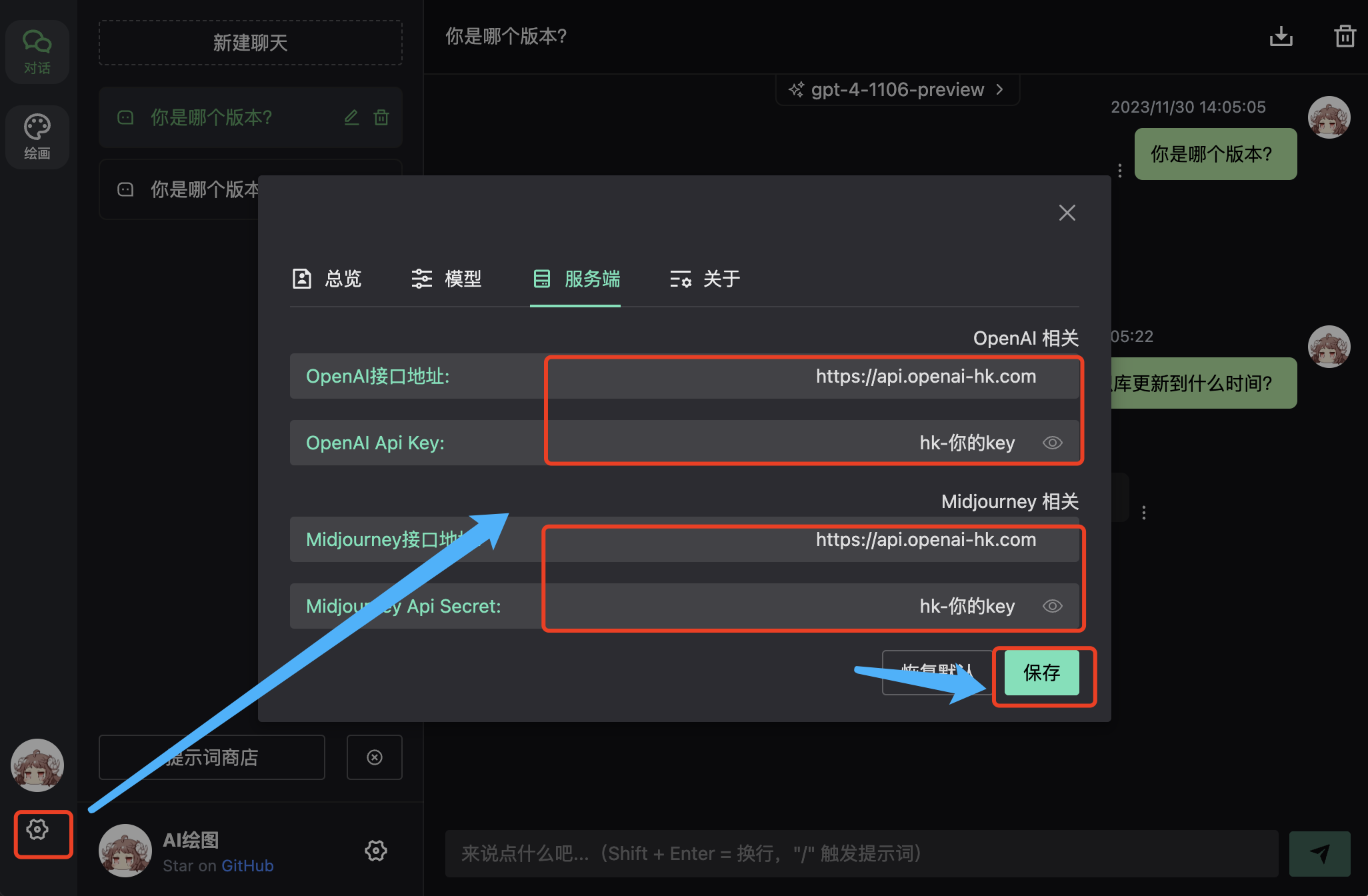
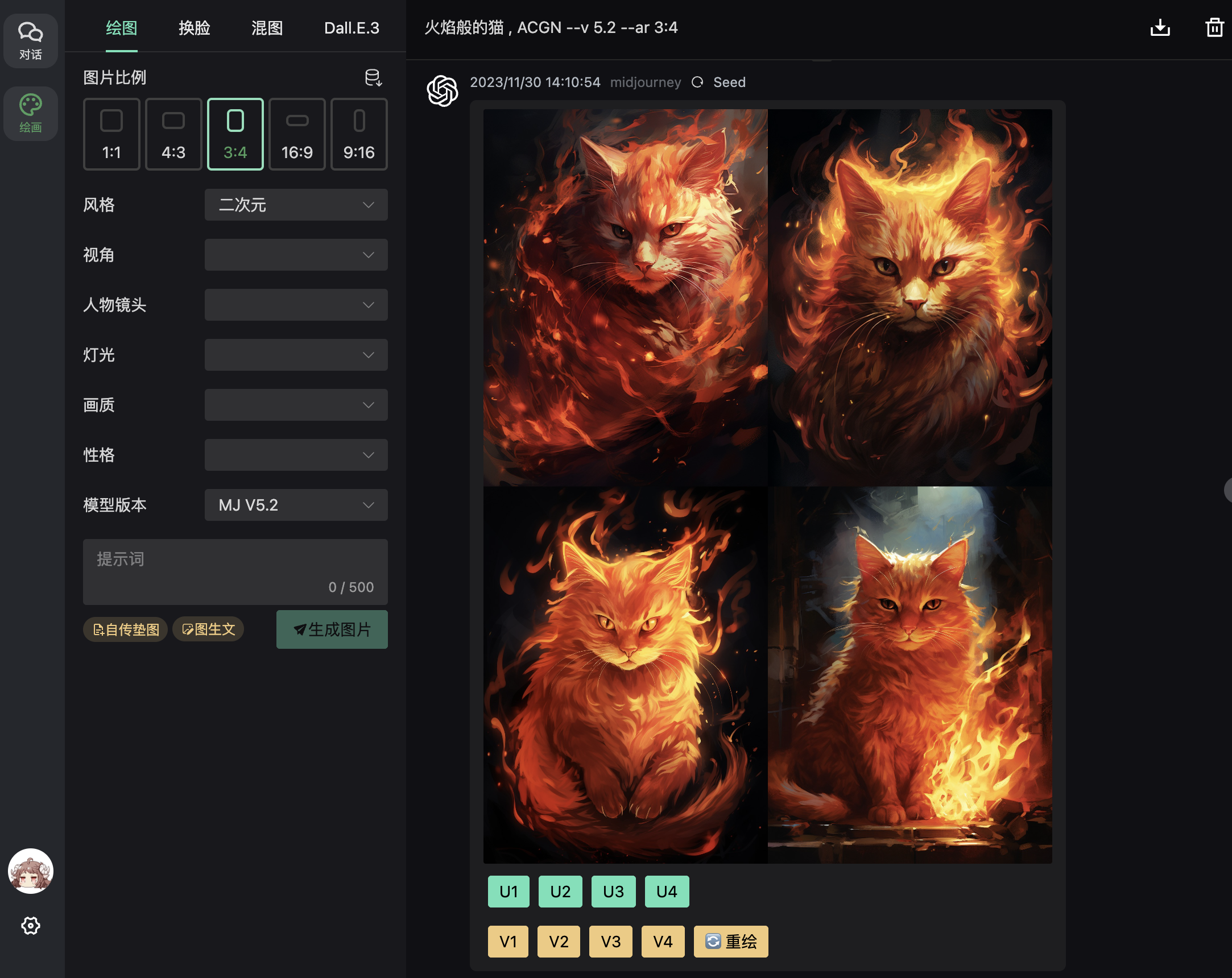
Result
Enter your prompt in the input box
Features
This app is highly recommended — it has comprehensive support for the following features:
- ✅ midjourney text-to-image
- ✅ midjourney image reference + text-to-image
- ✅ midjourney image variations U1–U4, V1–V4, redraw, and more
- ✅ midjourney supports partial redraw
- ✅ midjourney supports 1.5x zoom and 2x zoom
- ✅ midjourney supports 2x HD and 4x HD upscaling
- ✅ midjourney supports left, right, up, down pan extensions
- ✅ midjourney image-to-text
- ✅ Images stored locally using localforage
- ✅ Supports midjourney and niji different bots
- ✅ Supports InsightFace face swap
- ✅ midjourney image blending
- ✅ dall-e-3 text-to-image
2. [Disabled] Midjourney in next-web Chat
Note
- Visit https://web.ccaiai.com/ (requires a proxy)
2. If you find it blocked, you can change the address yourself:https://suibian.ccaiai.com— replacesuibianwith something else, e.g.https://abc.ccaiai.com, all work
Then configure in the corresponding fields shown below:
API URL: https://api.openai-hk.com
API KEY: hk-your-apiKey
Model: Custom model — select midjourney
Then configure in the corresponding fields shown below:
API URL: https://api.openai-hk.com
API KEY: hk-your-apiKey
Model: Custom model — select midjourneyNote: Image generation takes a while — expect to wait about 2 minutes 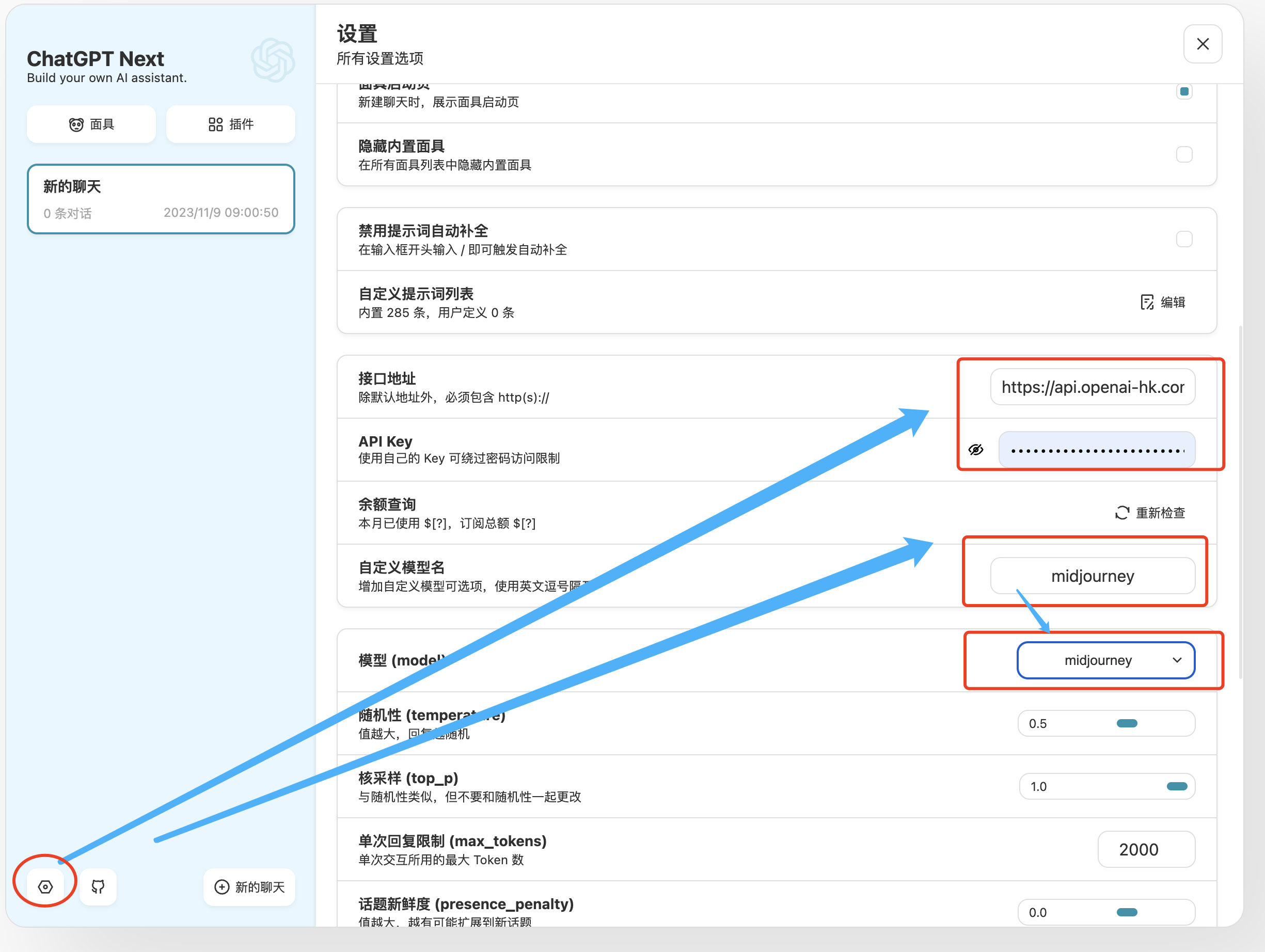
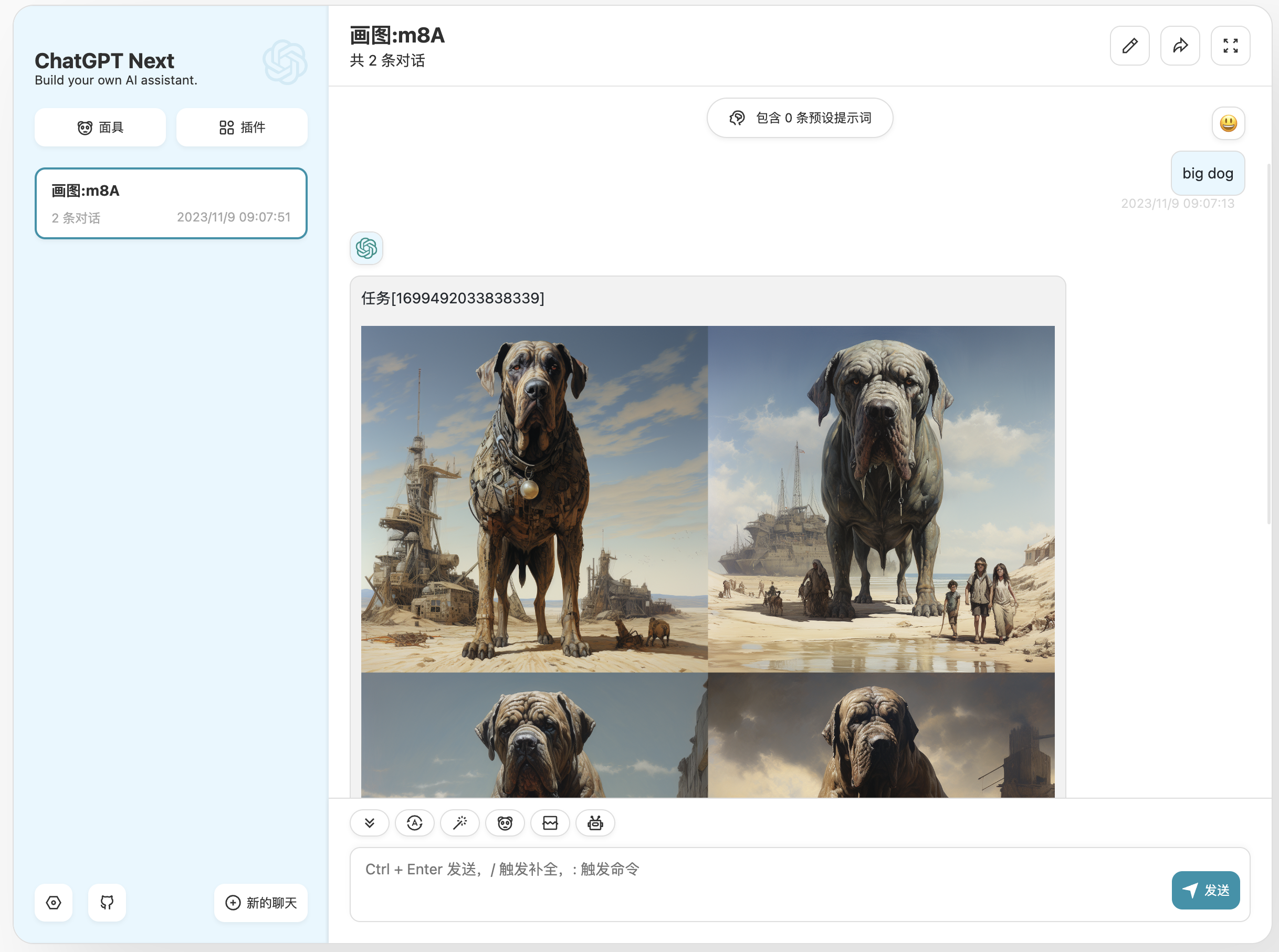
Enter your prompt in the input box — English descriptions work best — to get an image