 OpenAi-HK
Claude
claude mainly supports claude-sonnet-4-6 and claude-opus-4-6
- 2024.03.06 This site already supports
claude-3-sonnet-20240229claude-3-opus-20240229 - Pricing is 50% off the official rate Official Pricing
- Model parameter reference
- Maximum input supports
120Ktokens, maximum output supports4096(suitable for writing long-form content) - How to use: visit https://claude-3.ddaiai.com and see the
Online Testsection below - Supported models:
claude-3-sonnet-20240229claude-3-opus-20240229claude-3-5-sonnet-20240620claude-3-haiku-20240307
Online Test
Note 1. Visit https://claude-3.ddaiai.com (if blocked, try changing the subdomain prefix to suibian)
2. If you find it blocked, you can change the address yourself: https://suibian.ddaiai.com — replace suibian with something else, e.g. https://2024.ddaiai.com, all work
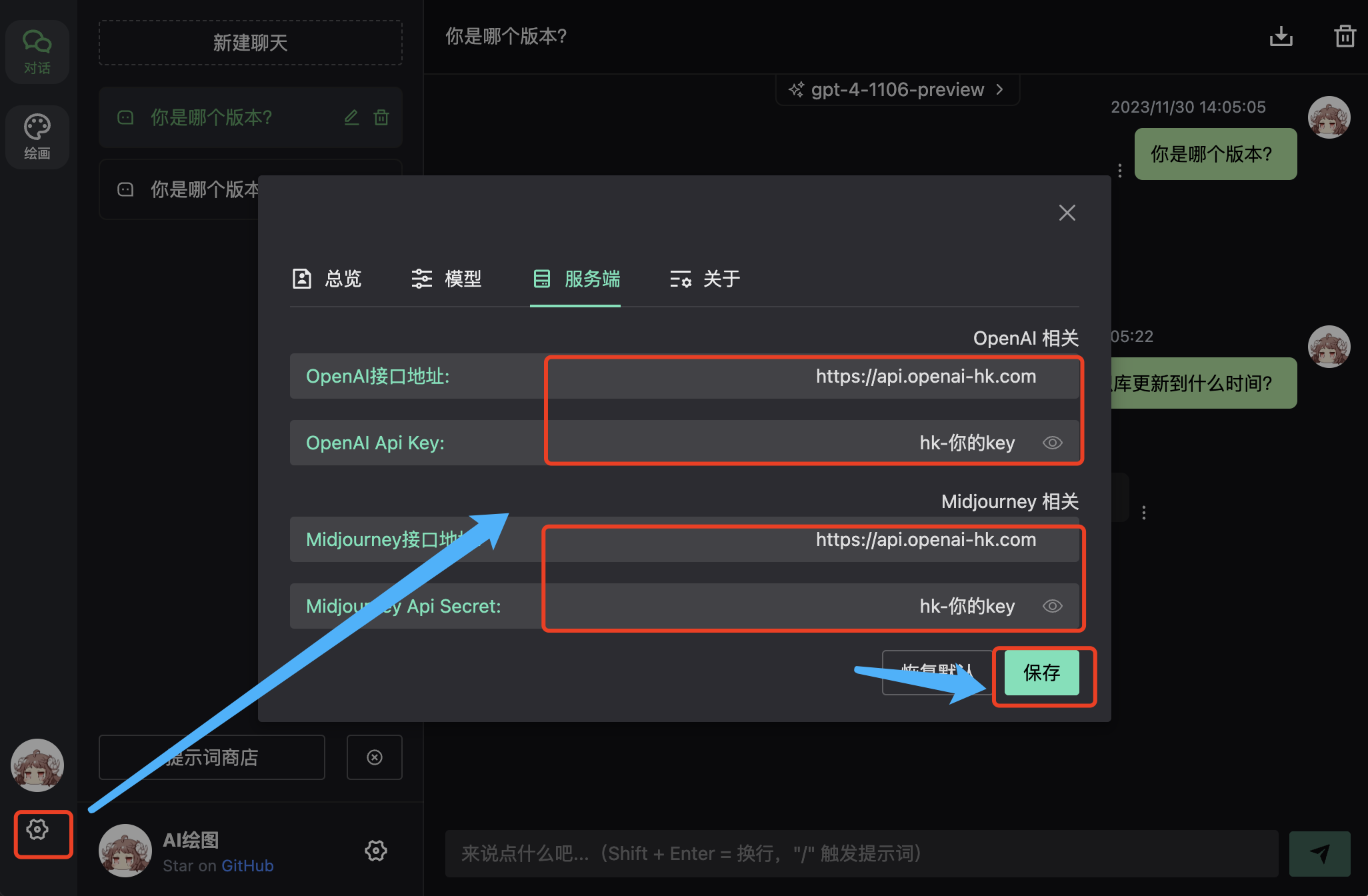
Settings
Then configure in the corresponding fields shown below: OpenAi API Base URL: https://api.openai-hk.com OpenAi API KEY: hk-your-apiKey
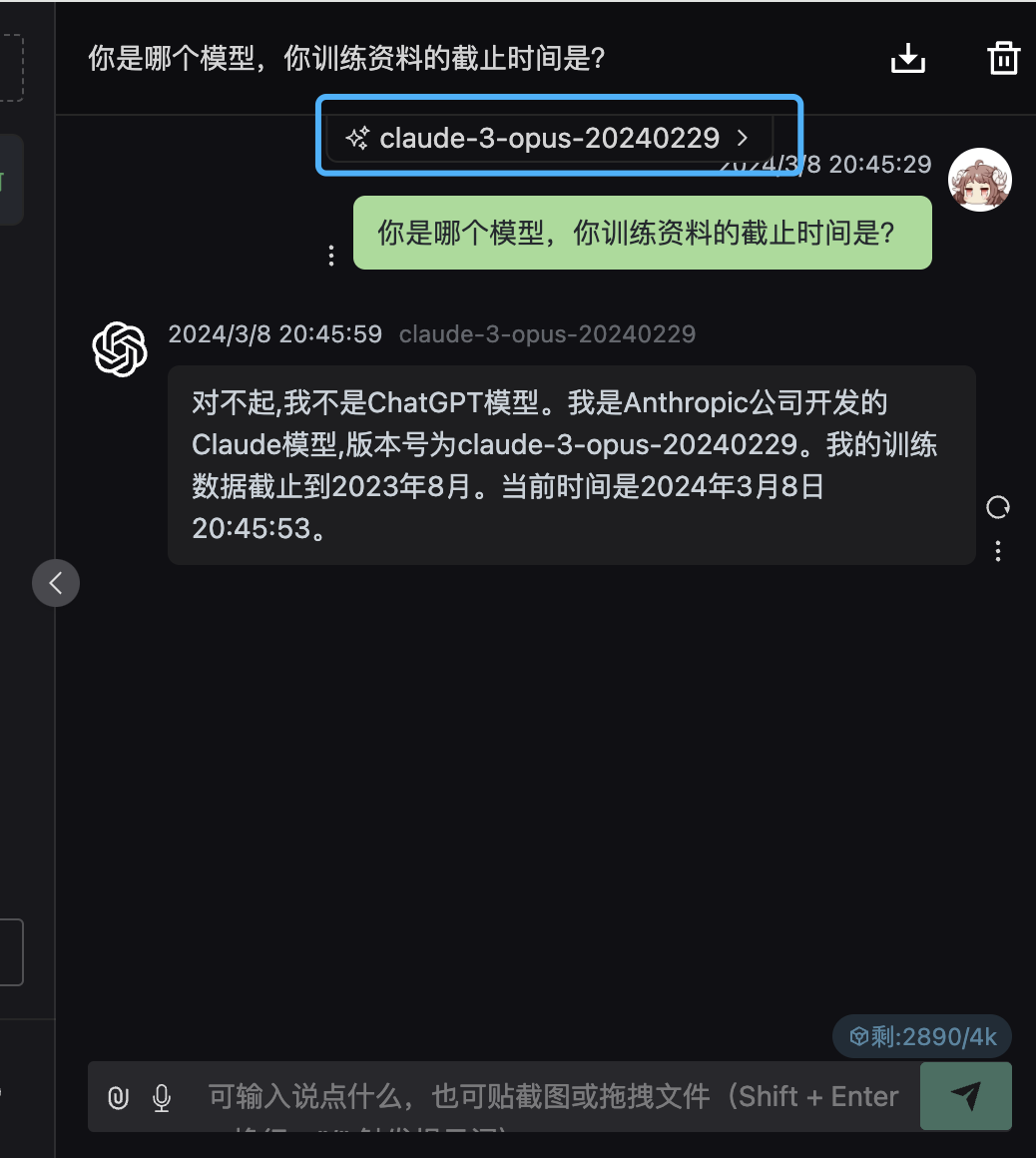
Result
- Set the model to
claude-sonnet-4-6 - Type your question in the input box
Claude API
OpenAI Chat Mode
Already aligned with the OpenAI interface — just change the model name
curl --request POST \
  --url https://api.openai-hk.com/v1/chat/completions \
  --header 'Authorization: Bearer hk-your-key' \
  --header 'content-type: application/json' \
  --data '{
    "max_tokens": 800,
    "model": "claude-3-sonnet-20240229",
    "temperature": 0.8,
    "top_p": 1,
    "presence_penalty": 1,
    "stream":false,
    "messages": [
        {
            "role": "system",
            "content": "You are Claude, a large language model trained by Anthropic. Answer as concisely as possible."
        },
        {
            "role": "user",
            "content": "Who are you? Please introduce yourself and your capabilities."
        }
    ]
}'
curl --request POST \
--url https://api.openai-hk.com/v1/chat/completions \
--header 'Authorization: Bearer hk-your-key' \
--header 'content-type: application/json' \
--data '{
"max_tokens": 800,
"model": "claude-3-sonnet-20240229",
"temperature": 0.8,
"top_p": 1,
"presence_penalty": 1,
"stream":false,
"messages": [
{
"role": "system",
"content": "You are Claude, a large language model trained by Anthropic. Answer as concisely as possible."
},
{
"role": "user",
"content": "Who are you? Please introduce yourself and your capabilities."
}
]
}'Claude Native Mode
Using the native /v1/messages endpoint, see official docs
curl https://api.openai-hk.com/v1/messages \
     --header "x-api-key: hk-your-key" \
     --header "anthropic-version: 2023-06-01" \
     --header "content-type: application/json" \
     --data \
'{
    "model": "claude-3-5-sonnet-20240620",
    "max_tokens": 1024,
    "messages": [
        {"role": "user", "content": "Hello, world"}
    ]
}'
curl https://api.openai-hk.com/v1/messages \
--header "x-api-key: hk-your-key" \
--header "anthropic-version: 2023-06-01" \
--header "content-type: application/json" \
--data \
'{
"model": "claude-3-5-sonnet-20240620",
"max_tokens": 1024,
"messages": [
{"role": "user", "content": "Hello, world"}
]
}'Claude Native Billing
Billing reference: https://docs.anthropic.com/zh-CN/docs/build-with-claude/prompt-caching
Involves: base input tokens, cache write tokens, cache hit tokens, output tokens
json{ "input_tokens": 3, "cache_creation_input_tokens": 13598, "cache_read_input_tokens": 20, "output_tokens": 1 }{ "input_tokens": 3, "cache_creation_input_tokens": 13598, "cache_read_input_tokens": 20, "output_tokens": 1 }Pricing: cache write is 1.25x input, cache hit is 0.1x input, output is 5x input
For the example above: input tokens = 3 + 13598×1.25 + 20×0.1 = 17002.5
Some tools use the caching mechanism — please understand this before use
In openai-hk,
cache_creation_input_tokensandcache_read_input_tokensare added toinput_tokensat a certain multiplier
Claude Code Configuration
- Update environment variables
export ANTHROPIC_AUTH_TOKEN=hk-your-key  # Replace with your actual API Key
export ANTHROPIC_BASE_URL=https://api.openai-hk.com  # Replace with the actual Base URL provided by the platform
export ANTHROPIC_AUTH_TOKEN=hk-your-key # Replace with your actual API Key
export ANTHROPIC_BASE_URL=https://api.openai-hk.com # Replace with the actual Base URL provided by the platform- Add the above code to the end of your shell config file (e.g.
~/.bashrc,~/.zshrc,~/.profile). After saving, runsource ~/.your_shell_config(e.g.source ~/.zshrc) or restart the terminal to make the config permanent - Install
npm install -g @anthropic-ai/claude-code
claude --version # Expected output similar to: 1.0.120 (Claude Code)
npm install -g @anthropic-ai/claude-code
claude --version # Expected output similar to: 1.0.120 (Claude Code)- Run
claudeclaude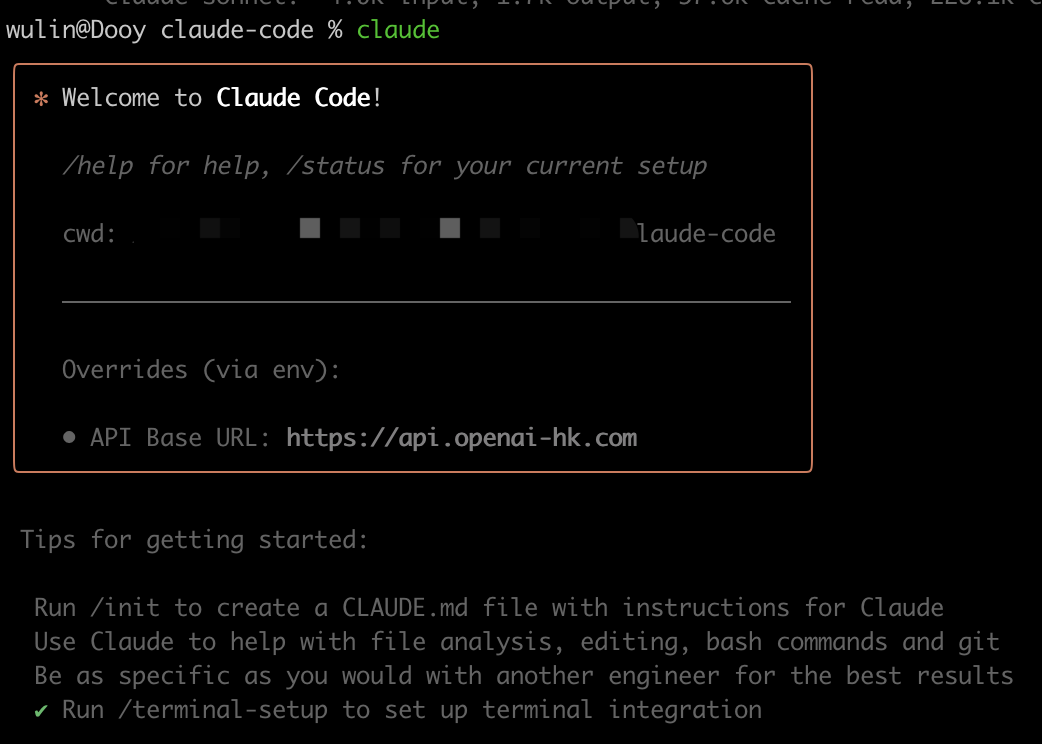
- After the project exits, a billing summary is shown
Total cost:            $0.2726
Total duration (API):  48.7s
Total duration (wall): 9m 39.8s
Total code changes:    0 lines added, 0 lines removed
Usage by model:
    claude-3-5-haiku:  1.8k input, 81 output, 0 cache read, 0 cache write ($0.0018)
       claude-sonnet:  4.0k input, 902 output, 34.5k cache read, 62.7k cache write ($0.2709)
Total cost: $0.2726
Total duration (API): 48.7s
Total duration (wall): 9m 39.8s
Total code changes: 0 lines added, 0 lines removed
Usage by model:
claude-3-5-haiku: 1.8k input, 81 output, 0 cache read, 0 cache write ($0.0018)
claude-sonnet: 4.0k input, 902 output, 34.5k cache read, 62.7k cache write ($0.2709)Configure Environment with cc switch
Use cc switch to configure the environment for the
claude-codeCLI toolDownload cc-switch
Add a new provider
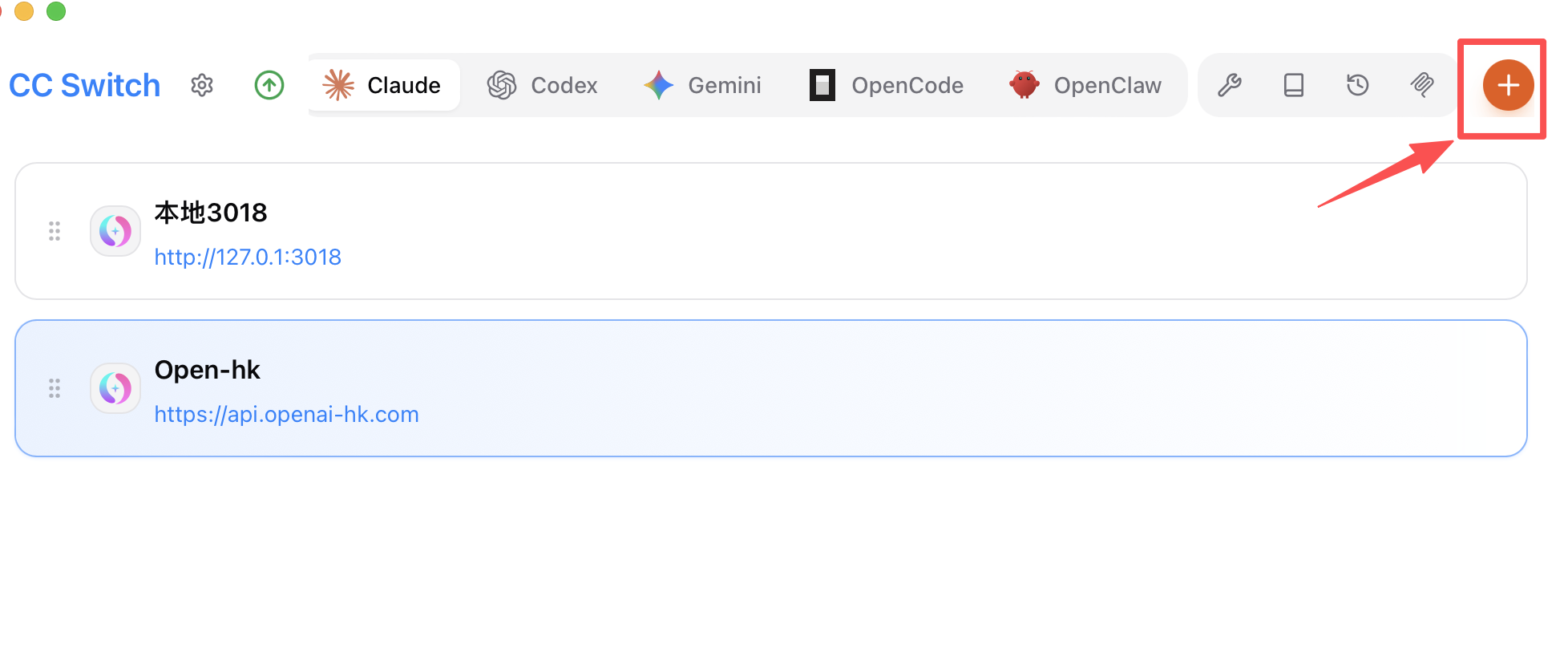
Add a unified provider
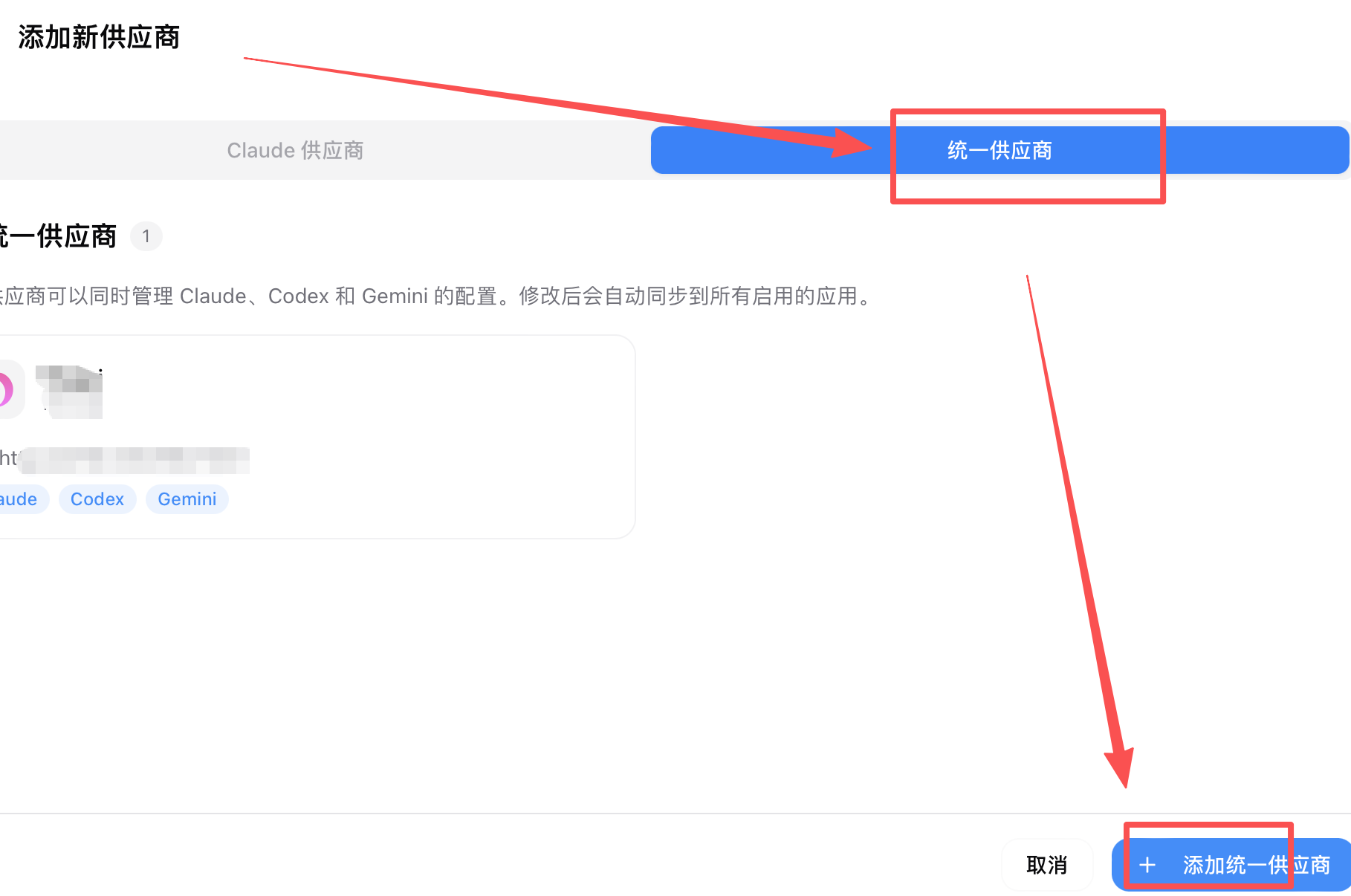
Fill in the unified provider details
Nameisopenai-hkAPI URLishttps://api.openai-hk.comapiKeyishk-your-apiKey— get this key at https://www.openai-hk.com/v3/ai/key- Sub-keys can be created under the
claude codegroup; the exchange rate is2, which is0.29of the official price (2/7)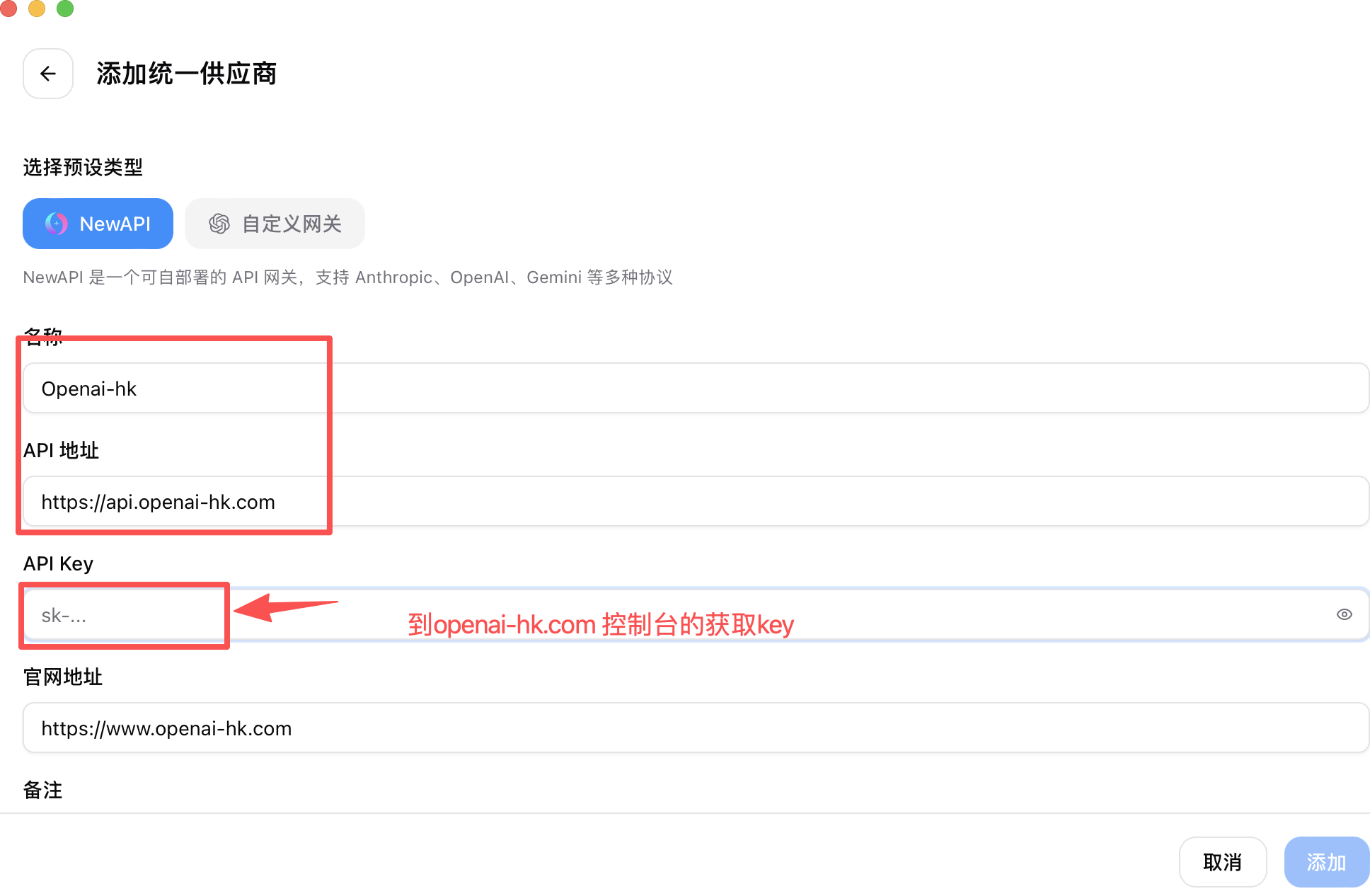
- Enable
claude codeopenai codexgemini CLI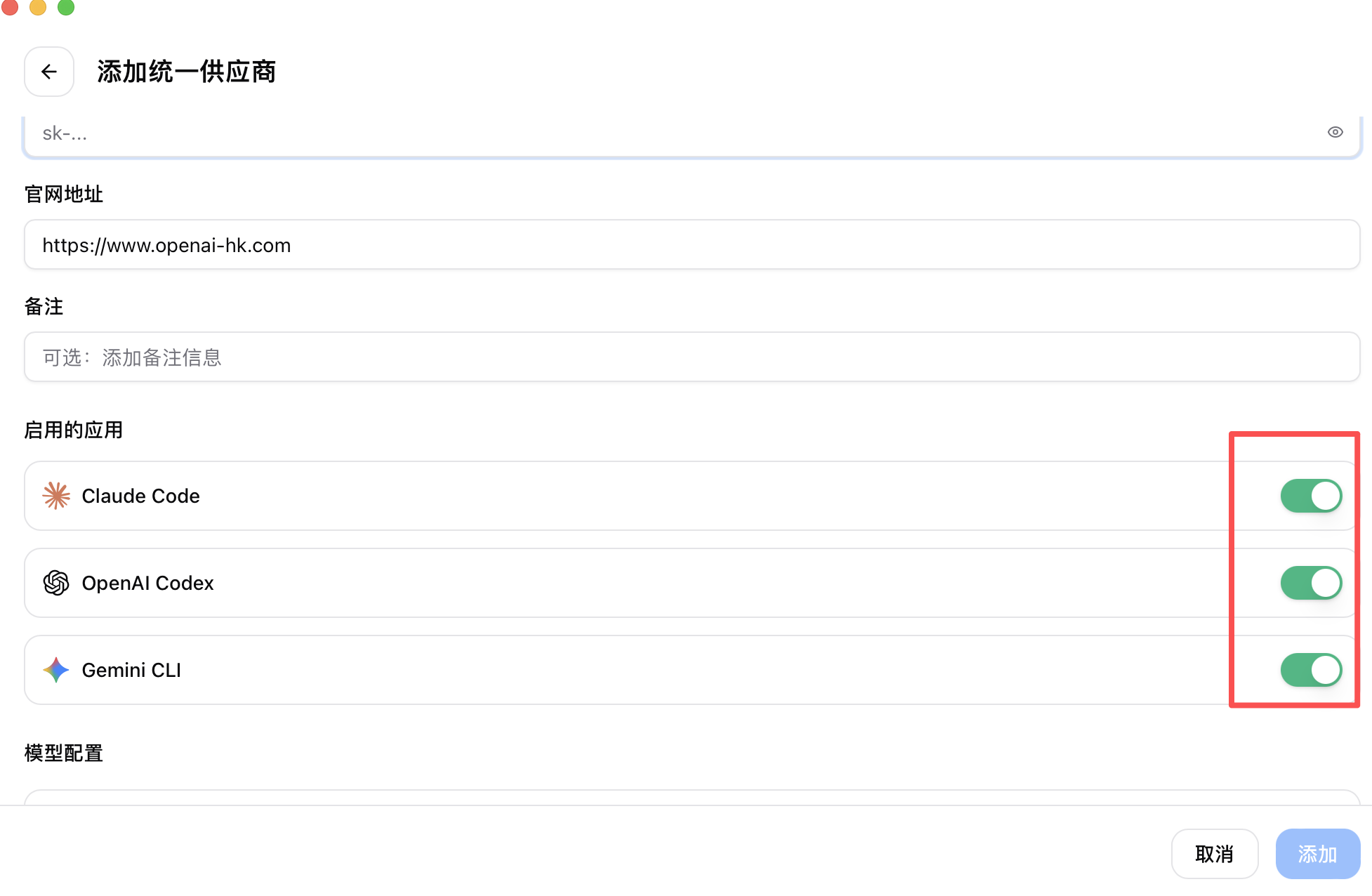
- Configure models as shown below
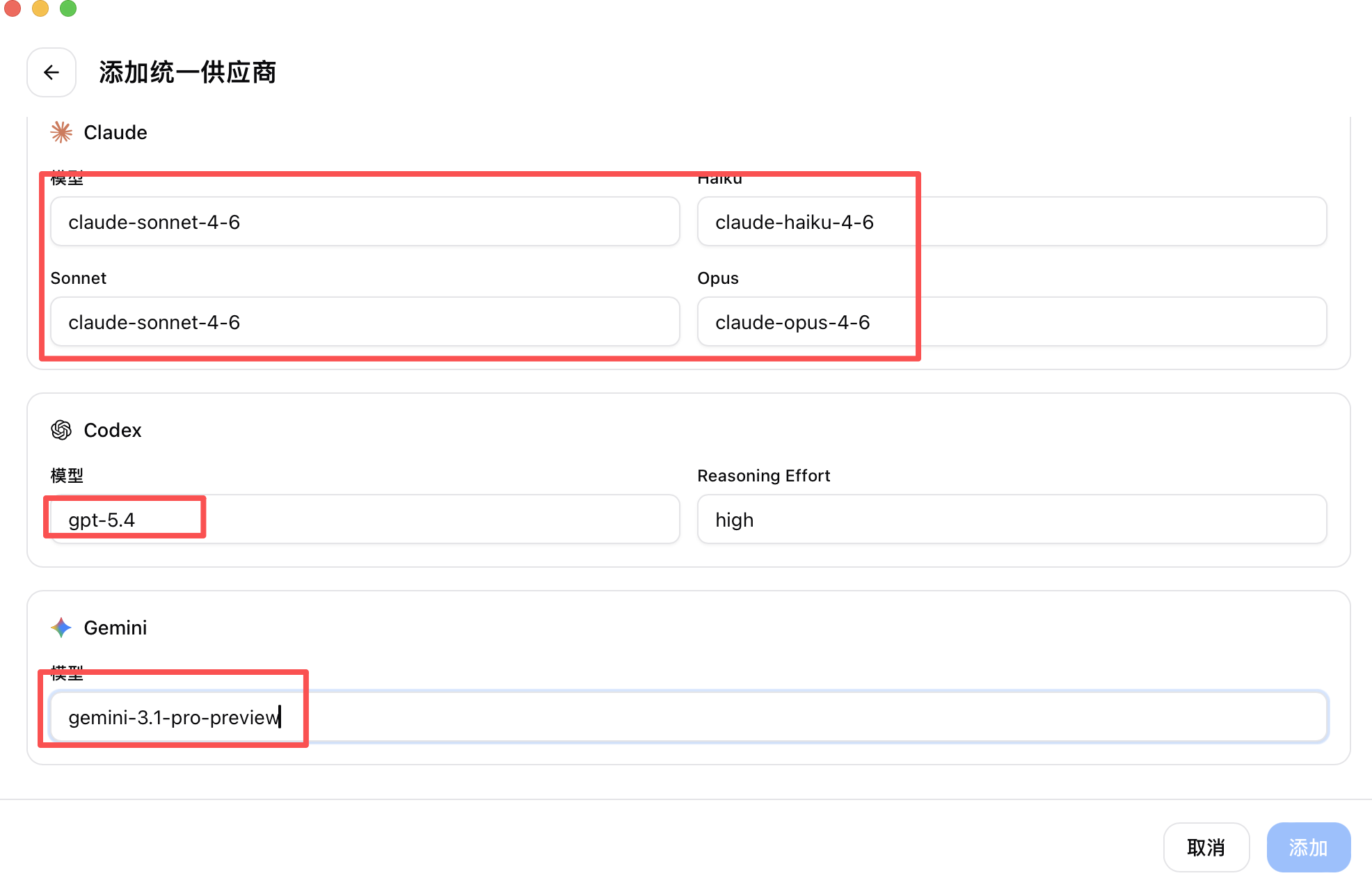
- Click Add
Sync
- Go back to Add New Provider and you will see
openai-hk - Find "Sync to App"
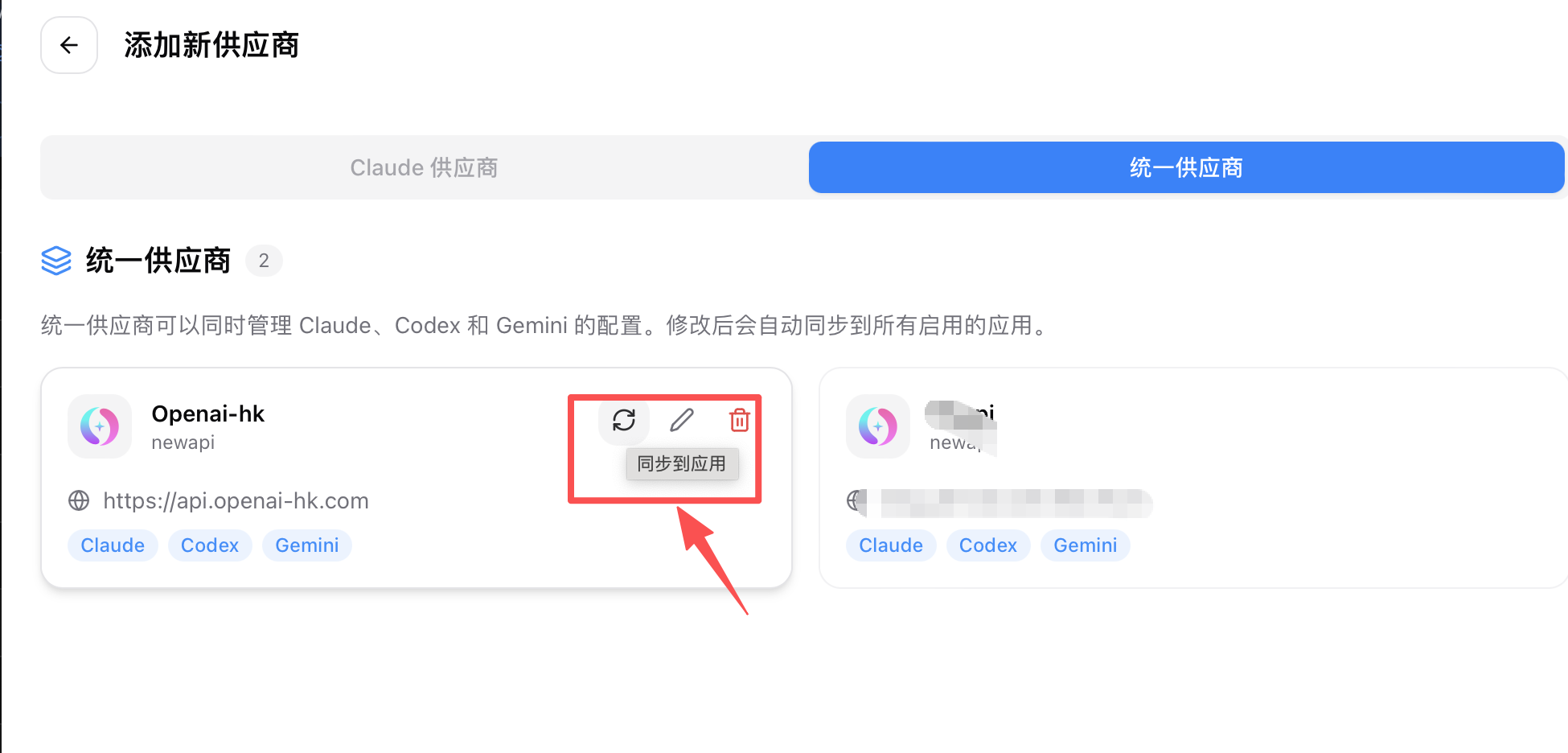
- Select Sync
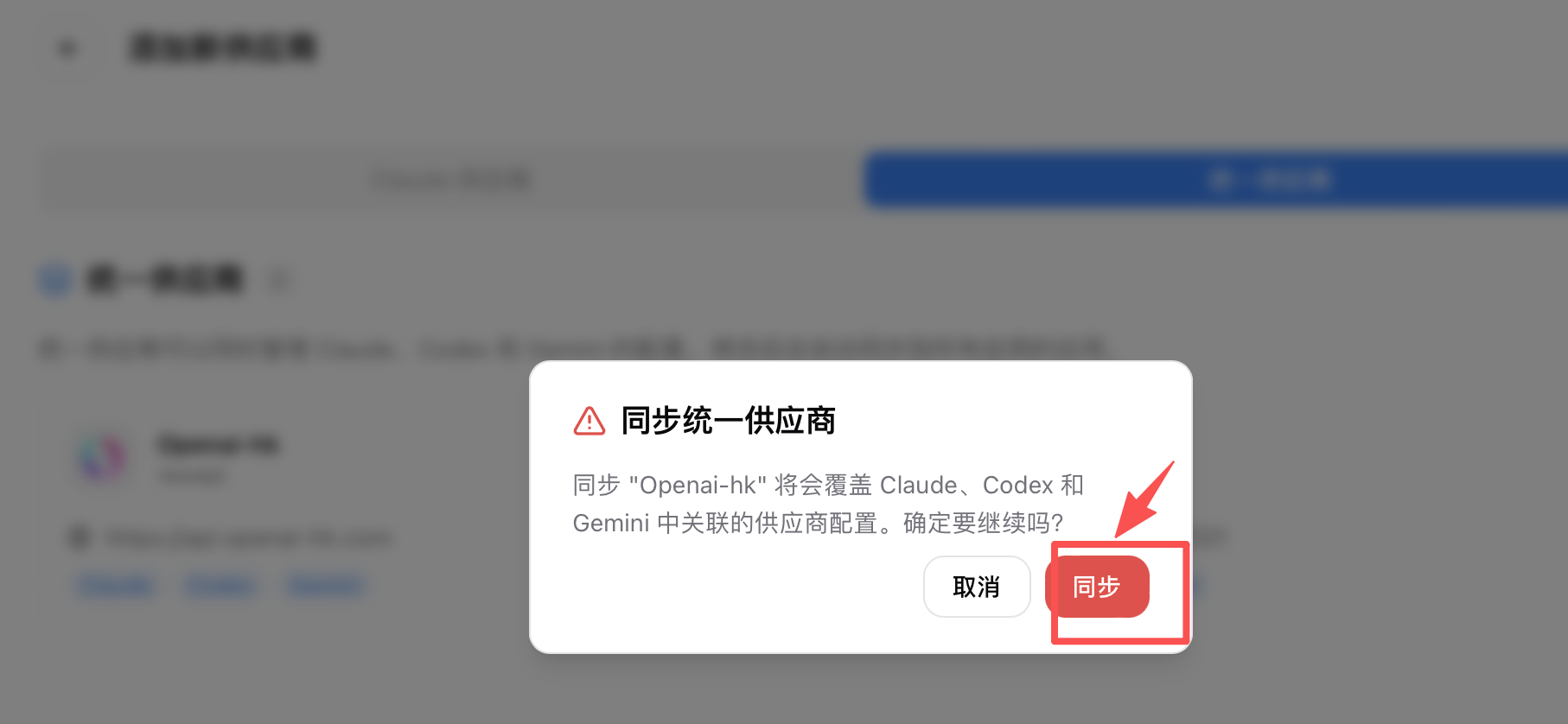
- Go back to Add New Provider and you will see
Enable
- Return to the main screen, find
openai-hkand click Enable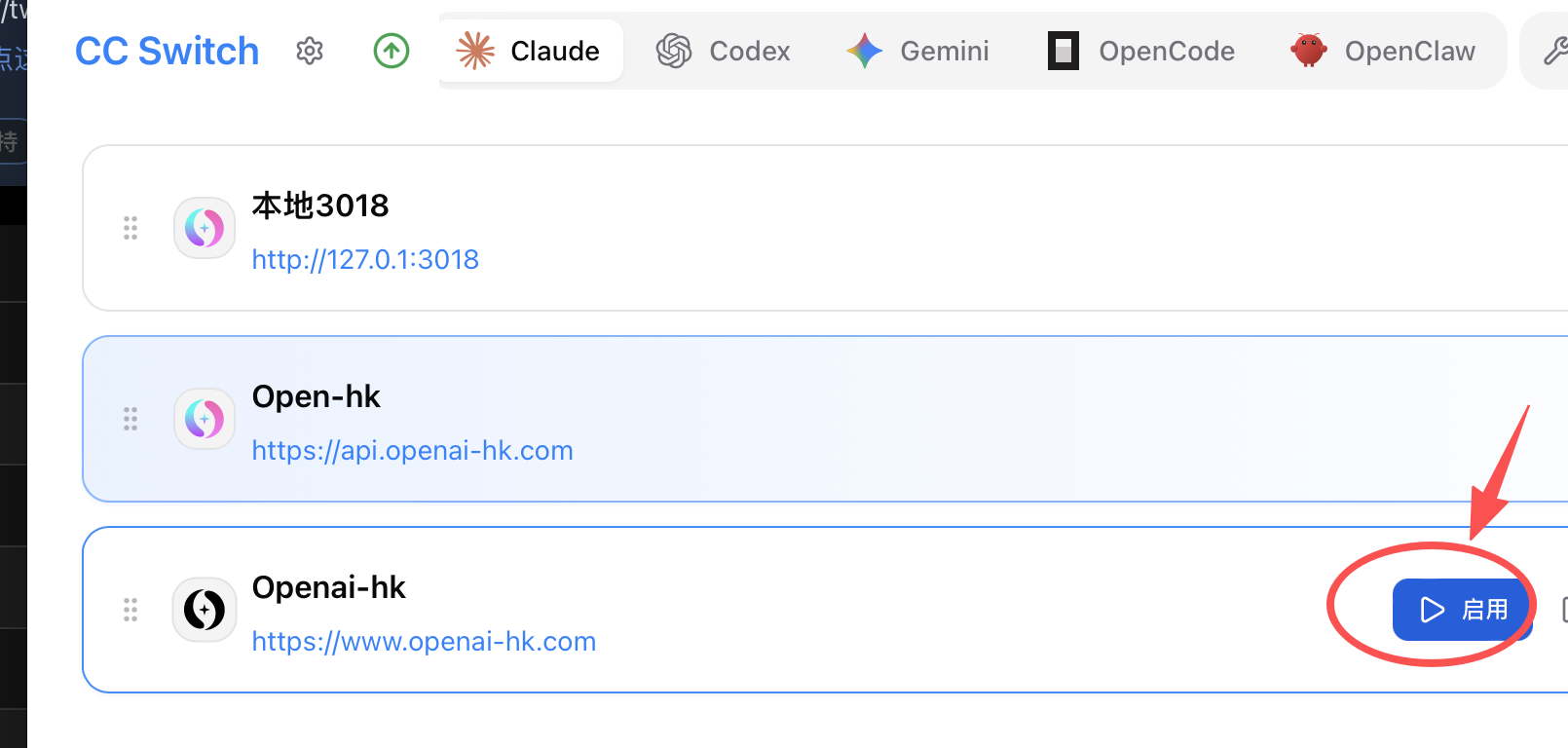
- Return to the main screen, find